

For the last few years, SEO teams have had one major problem with AI search.
They could see the impact.
But they could not measure it clearly.
AI Overviews, AI Mode, and generative AI answers changed how users interact with Google Search. Some users still click through. Some get enough information directly on the results page. Some discover brands inside AI responses without visiting the website immediately.
Until now, that visibility was difficult to separate from regular Search Console data.
That is why Search Generative AI Performance Reports matter.
Google has started rolling out dedicated Search Console reporting for visibility inside generative AI features, beginning with a subset of websites before broader availability. At the same time, it is also testing controls that may allow site owners to block content from appearing in Google’s AI responses.
For SEO teams, publishers, agencies, and website owners, this is not just a reporting update. It changes how AI search visibility, traffic value, content control, and client reporting may be discussed going forward.
What Are Search Generative AI Performance Reports?
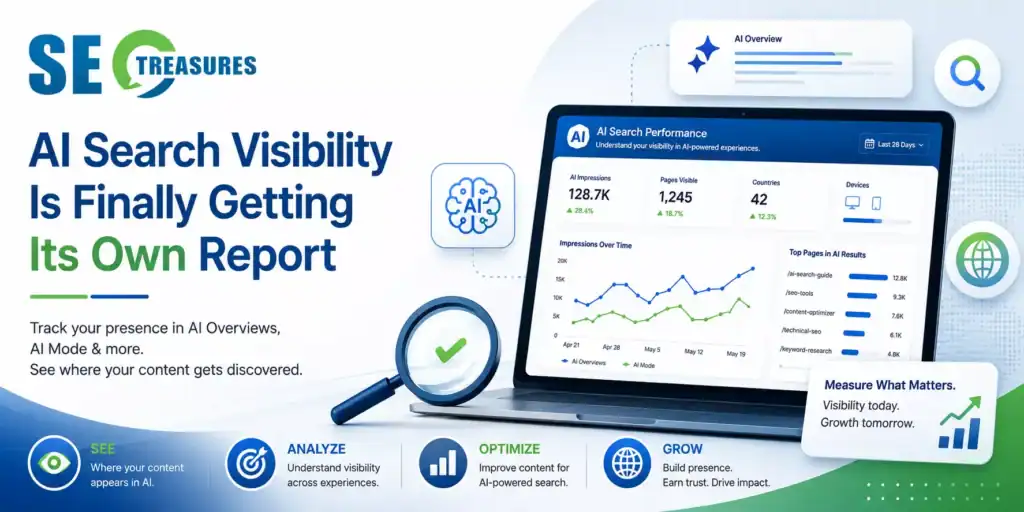
Search Generative AI Performance Reports are dedicated views inside Google Search Console that show how a website appears within Google’s generative AI features.
These reports are designed to help website owners understand visibility across experiences, such as:
- AI Overviews
- AI Mode
- Generative AI features in Discover
The key shift is that SEO teams may now get a separate view of AI search visibility instead of relying only on blended Search Console performance data.
This matters because appearing inside an AI response is not the same as ranking in a traditional list of blue links.
A page may appear as a supporting source in an AI-generated answer. It may receive impressions without clicks. It may influence brand awareness even when the user does not immediately visit the website.
That is a very different measurement problem.
What Data Will These AI Reports Show?
The early version of Google’s AI performance reporting focuses mainly on visibility, not complete traffic attribution.
According to the reporting details, the new reports may show:
| Metric / Dimension | What It Helps You Understand |
|---|---|
| Impressions | How often URLs from your site appeared in Google’s generative AI features |
| Pages | Which URLs appeared within AI features |
| Countries | Where your AI visibility is coming from |
| Devices | Which devices were users on when seeing your site in AI features |
| Dates | How AI visibility changes over time |
At this stage, the reports should be treated as visibility reports, not complete AI traffic attribution reports.
This is useful, but it also creates a new challenge.
If impressions are visible but click data is limited or unavailable, SEOs will need to rethink how they measure success.
Traditional SEO reporting often asks:
“How many clicks did we get?”
AI search reporting may require a different question:
“Where are we being surfaced, for which content types, and how does that influence downstream performance?”
Why Click Data Is the Missing Piece
The biggest limitation is that AI visibility does not automatically equal traffic.
A page may appear in an AI Overview or AI Mode answer, but may not receive a click. That does not mean the appearance has no value. It may still support brand awareness, trust, topic authority, or later branded search.
But it does mean SEO teams must avoid overreading impressions.
For example, if a page receives high AI impressions but no visible click lift, it could mean:
- The AI answer satisfied the user without a click
- The page was cited but not clicked
- The query had low commercial intent
- The content is visible, but not compelling enough as a source
- The user later returned through a branded or direct path
This is why AI search traffic reporting must be connected with Google Analytics, conversion paths, branded search trends, and lead quality, where possible.
Why This Update Matters for SEO Teams
Search Generative AI Performance Reports may change SEO reporting in three practical ways.
First, they may help teams understand which pages are appearing in AI search experiences. This can show whether informational content, comparison pages, product pages, or publisher content is being surfaced more often.
Second, they may help identify country and device patterns. If a site appears frequently in AI responses in one market but not another, that can inform localisation and content planning.
Third, they may help separate AI visibility from traditional search performance. That distinction becomes important when explaining traffic changes to clients or stakeholders.
For example, a page may lose traditional organic clicks but gain visibility inside AI features. That does not automatically make the page successful, but it does change the diagnosis.
How AI Search Reporting Changes Client Communication
Agencies and in-house teams will need to explain this carefully.
Old SEO report:
“We ranked higher, so traffic improved.”
New AI search report:
“We appeared more often in AI responses, but clicks did not increase at the same rate.”
That may feel uncomfortable, but it is more accurate.
AI search creates a gap between visibility and traffic. SEO teams should start building reports that separate:
| Reporting Area | What to Track |
|---|---|
| Traditional Search | Clicks, impressions, CTR, average position |
| AI Search Visibility | AI impressions, pages shown, countries, devices |
| Engagement | Time on site, conversions, scroll depth, assisted actions |
| Brand Impact | Branded searches, direct traffic, repeat visitors |
| Content Impact | Which topics appear most often in AI responses |
This gives a more complete picture than relying only on click growth.
What About Blocking Content From Google AI Responses?
Alongside AI performance reporting, Google is also testing controls that allow some site owners to block their content from being used in generative AI Search features.
This is important for publishers and content-heavy websites.
The control is designed to let website owners decide whether their site can appear in and help ground Google’s generative AI responses. In practical terms, this may apply to AI Overviews, AI Mode, and AI features in Discover.
As of now, these controls are being tested with a limited subset of site owners before broader availability, so most website owners should wait for confirmed access and official documentation before making decisions.
However, blocking content from AI responses is not a simple decision.
If you opt out, you may reduce the risk of your content being summarised without a click. But you may also lose AI visibility, impressions, and potential discovery opportunities.
For most websites, the decision should not be emotional. It should be based on business model, content value, monetisation strategy, and risk tolerance.
Should Website Owners Use AI Content Blocking Controls?
The answer depends on the site.
A publisher that depends heavily on ad revenue and article clicks may think differently from a B2B SaaS company, an ecommerce brand, or a local service business.
Here is a practical way to evaluate the decision:
| Website Type | Likely Consideration |
|---|---|
| News / Publishers | Protecting article clicks and content value may be a priority |
| B2B Websites | AI visibility may support authority and lead generation |
| E-commerce Sites | Product visibility may be valuable if it supports discovery |
| Affiliate Sites | AI summaries may reduce click-through value |
| Local Businesses | Visibility in AI answers may support brand discovery |
| Educational Sites | Source visibility may strengthen authority |
Blocking content from Google AI responses should be treated as a strategic control, not a default move.
Before opting out, review whether your AI visibility is helping or hurting your business model.
What SEOs Should Do Before Using AI Content Controls
Before using any AI blocking control, answer these questions:
- Which pages are appearing in AI responses?
- Are those pages driving clicks, leads, or brand searches?
- Is AI visibility replacing traffic or supporting discovery?
- Are competitors appearing where you are absent?
- Does the content need to be protected from summarisation?
- Would blocking AI features reduce your topical authority visibility?
- Can you test blocking on a section before applying it broadly?
This is especially important for publishers.
A full-site opt-out could reduce AI visibility across all content. A more selective strategy may be safer if controls allow page-level or section-level decisions in the future.
How to Optimise for AI Search Visibility
Google has stated that traditional SEO fundamentals still apply to AI features. There is no special schema or separate AI file required to appear in AI Overviews or AI Mode.
That means the practical strategy is not to chase a new shortcut.
Focus on making content easier to understand, trust, and cite.
Strong AI search optimisation should include:
| Optimization Area | What to Improve |
|---|---|
| Clear structure | Use logical headings and direct answers |
| Textual content | Make important information available in crawlable text |
| Helpful depth | Answer the main question and related follow-ups |
| Internal links | Connect supporting pages clearly |
| Page experience | Keep pages fast, readable, and mobile-friendly |
| Trust signals | Add sourcing, authorship, examples, and updated context |
| Structured data | Ensure schema matches visible page content |
This aligns with broader AI-first SEO and AEO practices.
For deeper context, this topic connects naturally with related SEOtreasures.com guides on AI search optimisation, Agentic engine optimisation, and SEO in AI Search.
The goal is not to manipulate AI answers. The goal is to make helpful, well-structured content easier for Google to understand, evaluate, and cite.
How to Use These Reports in Your SEO Workflow
When Search Generative AI Performance Reports become available in your Search Console account, do not treat them as a standalone dashboard.
Use them with a clear workflow.
Step 1: Identify AI-visible pages
Start by finding which pages appear most often in AI features.
Are they blogs, product pages, service pages, category pages, or guides?
This tells you what Google’s AI systems are selecting from your site.
Step 2: Compare AI impressions with regular search data
Check whether AI-visible pages also receive organic clicks.
If AI impressions rise but clicks remain flat, investigate whether the topic is becoming more zero-click.
Step 3: Review query intent indirectly
If query-level data is limited, infer intent from page type and topic cluster.
For example, a guide page may appear in AI Overviews for informational questions, while comparison pages may support commercial investigation queries.
Step 4: Improve pages that appear in AI responses
Pages already appearing in AI features may be strong candidates for improvement.
Add clearer definitions, better summaries, updated examples, comparison tables, FAQs, and stronger internal links.
Step 5: Track downstream impact
Use analytics tools to track branded search, direct traffic, conversion quality, assisted conversions, and engagement.
AI visibility may not always produce immediate clicks, but it may influence later decisions.
Need Help Measuring AI Search Visibility?
If your organic traffic is changing but Search Console does not clearly explain why, AI visibility may now be part of the picture. A structured SEO audit can help compare traditional rankings, AI impressions, branded searches, content quality, and conversion impact before making major content changes.
Start by reviewing which pages appear in AI features, which pages are losing clicks, and whether your content is supporting discovery, traffic, or conversions.
What Publishers Should Watch Closely
Publishers should be especially careful with this update.
AI responses can summarise content in a way that reduces the need for users to click. That creates a real tension between visibility and monetisation.
Publishers should monitor:
- Which articles appear in AI responses
- whether AI impressions correlate with traffic decline
- Which categories are most exposed
- Whether evergreen explainers are more affected than news content
- Whether branded searches increase after AI visibility
For publishers, AI content controls may become part of a broader content protection strategy.
But the decision should be made with data, not frustration.
What Agencies Should Tell Clients
A simple explanation works best:
“Google is introducing dedicated Search Console reporting for generative AI visibility. This may help us see which pages appear in AI Overviews, AI Mode, and Discover AI features. However, because click data may be limited, we should treat AI impressions as visibility signals, not direct traffic results. We will connect this data with Search Console, Analytics, branded search, and conversions to understand real business impact.”
This gives clients clarity without overpromising.
Practical Checklist for SEO Teams
Use this checklist once the reports become available:
| Task | Purpose |
|---|---|
| Review AI-visible pages | Identify which URLs appear in AI features |
| Compare with organic clicks | Separate visibility from traffic |
| Segment by page type | Understand whether blogs, service pages, or products appear more |
| Check country/device data | Find market-level patterns |
| Improve content clarity | Increase usefulness and extractability |
| Review publisher risk | Decide whether AI visibility helps or harms |
| Update client reports | Add AI visibility as a separate category |
| Monitor conversions | Connect AI visibility to business outcomes |
This turns the update into a usable workflow.
Final Thought
Search Generative AI Performance Reports may become one of the most important Search Console updates for modern SEO teams.
They do not solve every measurement problem or fully explain click behaviour, but they give SEO teams a clearer starting point.
Instead of guessing whether content appears in AI responses, teams can begin tracking visibility directly.
The next challenge is interpretation.
AI search performance should not be measured only by clicks. It should be understood through visibility, trust, brand discovery, content quality, and business impact.
That is the real shift.
Frequently Asked Questions: Search Generative AI Performance Reports
What are Search Generative AI Performance Reports?
Search Generative AI Performance Reports are dedicated Google Search Console reports that show how pages from a website appear within Google’s generative AI features, such as AI Overviews, AI Mode, and AI features in Discover.
What data do Google Search Console AI performance reports show?
The reports may show impressions, pages, countries, devices, and date-based visibility trends for generative AI features. These metrics help SEO teams understand where and how their content appears in AI responses.
Do these reports show click data from AI Overviews?
The initial reporting focuses on visibility and impressions rather than complete click attribution. SEOs should combine this data with Search Console, Analytics, branded search, and conversion tracking.
Can website owners block content from Google AI responses?
Google is testing controls that allow some site owners to block their content from appearing in generative AI features such as AI Overviews, AI Mode, and Discover AI experiences.
Should publishers block content from AI Overviews?
Publishers should decide based on their business model. If AI summaries reduce ad-driven article clicks, blocking may be worth testing. If AI visibility supports brand discovery, blocking may reduce exposure.
How should SEO teams use AI visibility reports?
SEO teams should identify AI-visible pages, compare them with regular organic performance, improve pages already appearing in AI responses, and track downstream business impact through analytics.
Is there a special schema for AI Overviews or AI Mode?
No special schema is required. Google says traditional SEO fundamentals still apply, including crawlability, helpful content, page experience, internal linking, and accurate structured data.
How does this change SEO reporting?
SEO reporting should now separate traditional organic performance from AI search visibility. Impressions in AI features should be treated as visibility signals, while traffic and conversions should still be analysed separately.